The whole look.
One click.
A theme isn't just a wallpaper. Ornamentry sets every layer together and checks each one landed. If one doesn't, the whole change rolls back.
- wallpaper
- colours
- taskbar & tray
- cursors
- icons
- sounds
- fonts
- lock screen
- screensaver
- widgets
Undo is the
whole point.
A snapshot before every change, all in History. The very first capture of your desktop is never deleted, so "how it was before" is always one click away.
- First runkept forever
- New wallpaperyesterday
- Cursor swap2 h ago
- New themenow
Widgets that live on your wallpaper.
Clock, timer, CPU, memory, network, disk. Drag them anywhere, scale them, fade them. Press Ctrl+Alt+X and clicks go straight through them.
21:47
CPU 7%
↓ 2.4 MB/s
0admin prompts
0Explorer restarts
0shell hacks
Ornamentry runs as you, changes what your account is allowed to change, and never injects itself into Explorer.
Featherweight.
Native code drawn on the GPU. No browser engine idling behind your wallpaper. One small exe, zero runtime dependencies. Widgets redraw only when what they show actually changes.
Multi-monitor, properly.
Every widget remembers which screen it lives on and follows that screen when you unplug and replug. Sharp at any DPI.
Share the drip.
Export your entire setup as one .ornament file. Send it to a friend. They import it. Same desktop, zero screenshots-and-guesswork.
.ornament
my-setup.ornament
A timer that looks like yours.
Count down to a launch, count up from a birthday, or just show the time. Any font, any colour, any unit from days to hundredths. Add as many copies as you want, each with its own settings.
02:04:12:37
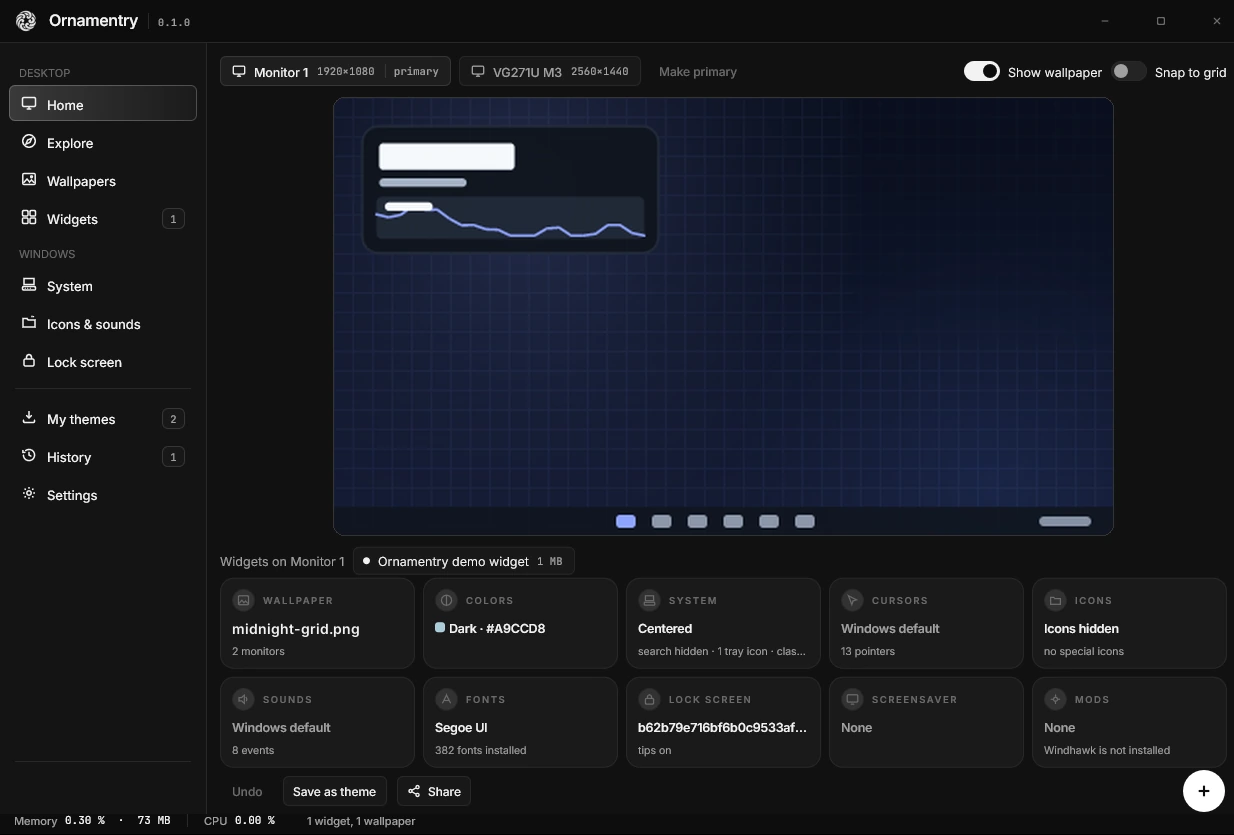
Preview before it lands.
The manager shows a live canvas of your desktop. Drag widget previews around, try things, and only then apply.